8 Public Wi-Fi Habits That Help Travelers Protect Personal Data on the Road
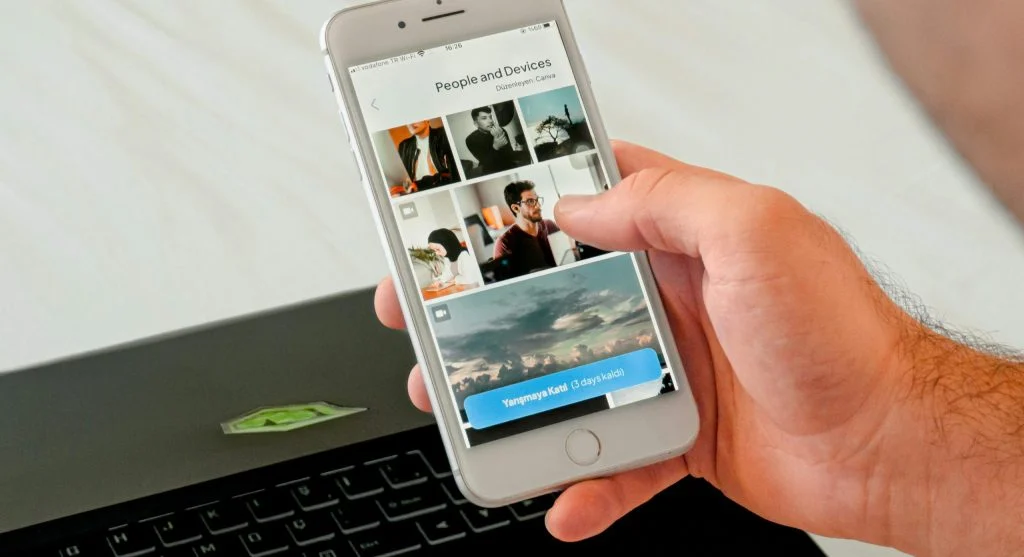
Strong public Wi-Fi habits can make travel much safer for phones, laptops, passwords, and personal accounts. The Federal Trade Commission says that using public Wi-Fi is usually safe today because most websites use encryption, but travelers should still look for the lock symbol or “https” in the address bar. At the same time, CISA says users should confirm the correct network name and password before joining a hotspot, and some recent U.S. travel advisories even tell travelers not to connect to public Wi-Fi networks at all in higher-risk settings.
1. Check the network name before you connect
One of the most useful public Wi-Fi habits is making sure the network is really the one you think it is. CISA says users should confirm the name and password of a public hotspot before use so they connect to a trusted access point.
This matters because travel days often create rushed decisions. A network that looks familiar at a glance may not be the right one, especially in busy airports, cafés, and hotels where many similar names can appear at once. That second sentence is an inference based on CISA’s guidance to verify hotspot details before connecting.
2. Look for encryption before entering anything important
The FTC says most websites now use encryption and tells users to look for the lock icon or “https” in the browser before entering information.
This is one of the simplest travel cyber-safety habits because it turns a quick visual check into a daily routine. Travelers usually reduce risk when they pause for that check before signing in, paying, or sharing private information. That second sentence is an inference based on the FTC’s encryption guidance.

3. Keep offline tools ready before you need them
Travel.State.gov’s crime-prevention guidance says travelers should download offline map apps, keep phones charged, and carry a portable battery.
This matters because one of the best ways to reduce risky Wi-Fi use is needing it less often. A traveler with offline maps, saved hotel details, and a charged device usually has less pressure to connect to the first network they see. That is an inference based on the State Department’s guidance to prepare devices and offline navigation before moving around abroad.
4. Turn on multi-factor authentication before the trip
CISA’s “Secure Our World” guidance says turning on MFA is one of the easiest ways to stay safer online. Its cybersecurity best-practices page also lists MFA, strong passwords, and software updates among the basic protections people should use.
This is especially helpful for travelers because even if a password is exposed or reused in the wrong place, an extra sign-in step can still protect the account. That second sentence is an inference based on CISA’s recommendation to enable MFA as a core security habit.
5. Update devices before leaving home
Recent Travel.State.gov advisories that include technology-use guidance tell travelers to update all software, including operating systems and apps, before leaving the United States. CISA also lists software updates as a basic cybersecurity best practice.
This is a strong public Wi-Fi routine because older software can leave travelers relying on weaker protection while moving between unfamiliar networks. That second sentence is an inference based on the official advice to update software before travel.
6. Use a VPN if you need public Wi-Fi for important tasks
The FTC’s cybersecurity guidance for small business says public Wi-Fi does not provide a secure internet connection on its own and recommends using a virtual private network to encrypt traffic between a device and the internet.
This does not mean travelers should treat any network as automatically safe just because a VPN is on. It means a VPN can add another layer of protection when someone must connect and handle something important. That is an inference based on the FTC guidance about VPN use on public Wi-Fi.

7. Avoid doing your most sensitive tasks on public networks
Some current Travel.State.gov advisories with technology-use sections go further than general cyber guidance and explicitly say travelers should not connect to public Wi-Fi networks in certain destinations.
That supports a practical travel habit even outside high-risk destinations: the more sensitive the task, the more careful the connection should be. Banking, account recovery, and highly personal logins often deserve a more trusted setup than ordinary browsing. That is an inference based on the State Department’s recent warnings against public Wi-Fi in some travel contexts.
8. Keep device security tied to physical security too
CISA says people should protect digital devices physically when those devices are not in their direct control, including keeping them in a secure area with limited access by others.
This matters because travel cyber safety is not only about the network. A password-protected phone or laptop still needs the traveler’s attention in cafés, lounges, and hotel lobbies. That second sentence is an inference based on CISA’s physical-device-security guidance.
Frequently Asked Questions
Q: What are the most useful public Wi-Fi habits for travelers?
A: The most useful public Wi-Fi habits include confirming the network name, checking for https encryption, preparing offline tools, turning on MFA, updating devices, using a VPN when needed, and avoiding highly sensitive tasks on public networks.
Q: Is public Wi-Fi always dangerous?
A: Not always. The FTC says connecting through public Wi-Fi is usually safe today because most websites use encryption, but users should still check for secure connections.
Q: Why should travelers verify the hotspot name before connecting?
A: CISA says users should confirm the name and password of a public hotspot before use to make sure they are connecting to a trusted access point.
Q: Why do some travel advisories say not to use public Wi-Fi at all?
A: Some current U.S. travel advisories include destination-specific technology warnings and explicitly tell travelers not to connect to public Wi-Fi networks in those higher-risk settings.{index=20}
Key Takeaway
Strong public Wi-Fi habits help travelers protect personal data on the road by turning device safety into a repeatable routine. Official guidance supports checking for encryption, verifying hotspot details, preparing offline tools, enabling MFA, updating software, and being more cautious with sensitive tasks on public networks. Travel often feels safer when connection choices are made calmly instead of quickly.











Post Comment